macOS 13+ · Native Swift · No Subscription

Screenshots that
actually help.

Capture, annotate, and share in seconds. Arrows, step numbers, blur, auto-redact, scrolling capture, and plugins. All from your menu bar.

$19 — one-time purchase. Free updates forever.
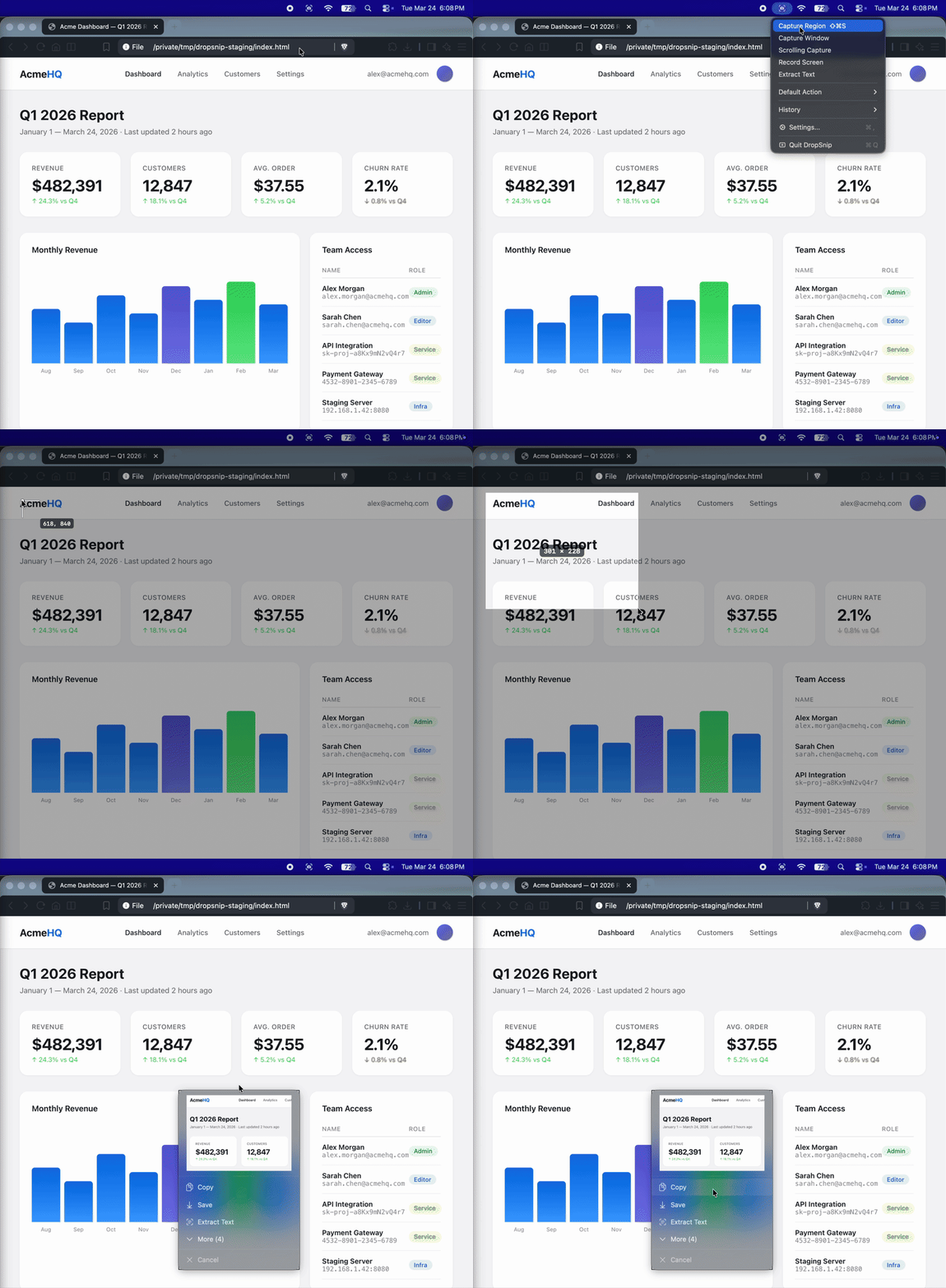
[Hero screenshot: DropSnip annotation overlay with arrows, step numbers, and blur]

Everything you need. Nothing you don't.

🎯

Precision Capture

Region, window, or scrolling capture. The L-bracket cursor shows exactly where you're capturing. Pixel-perfect every time.

✏️

Quick Annotations

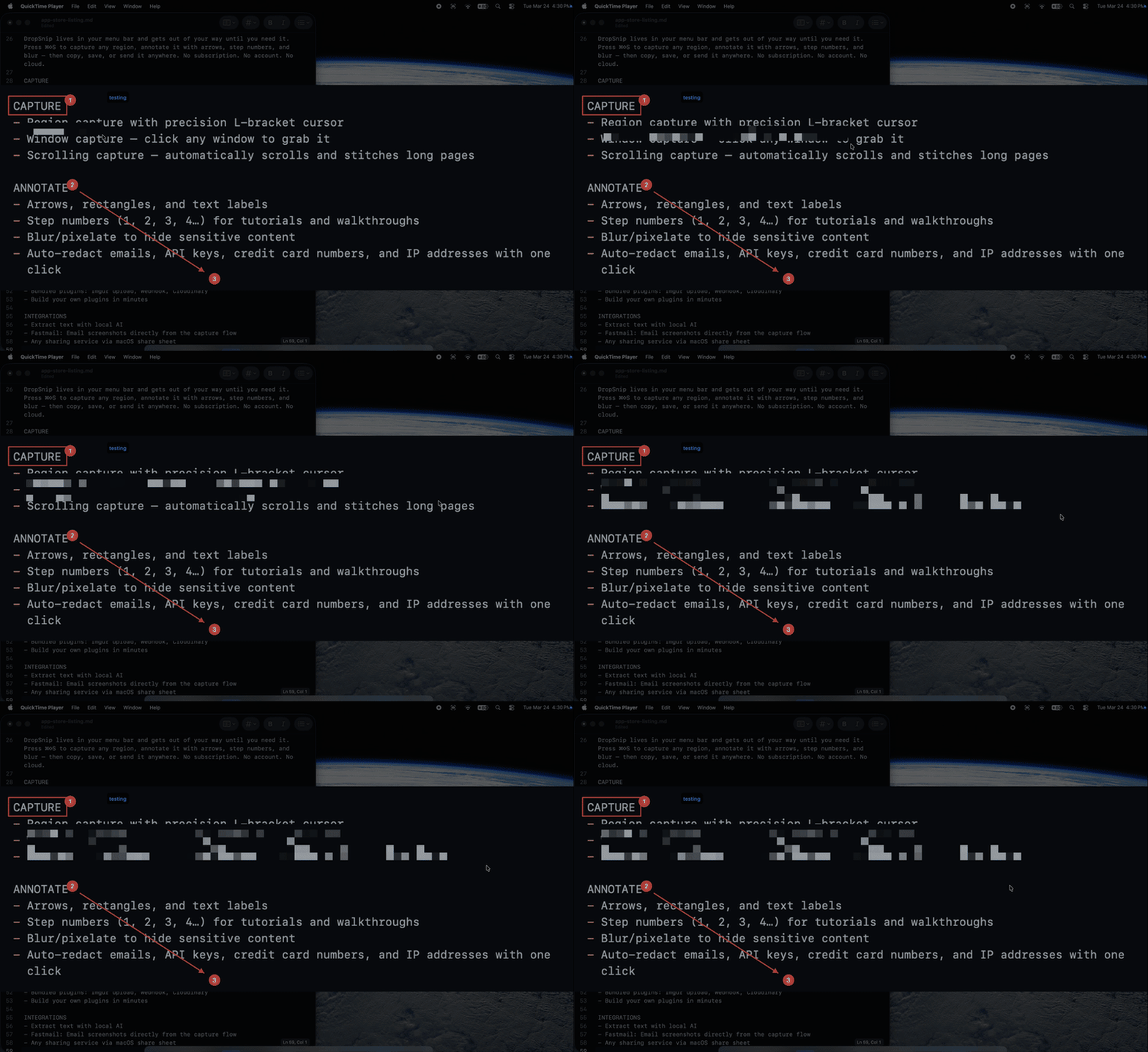
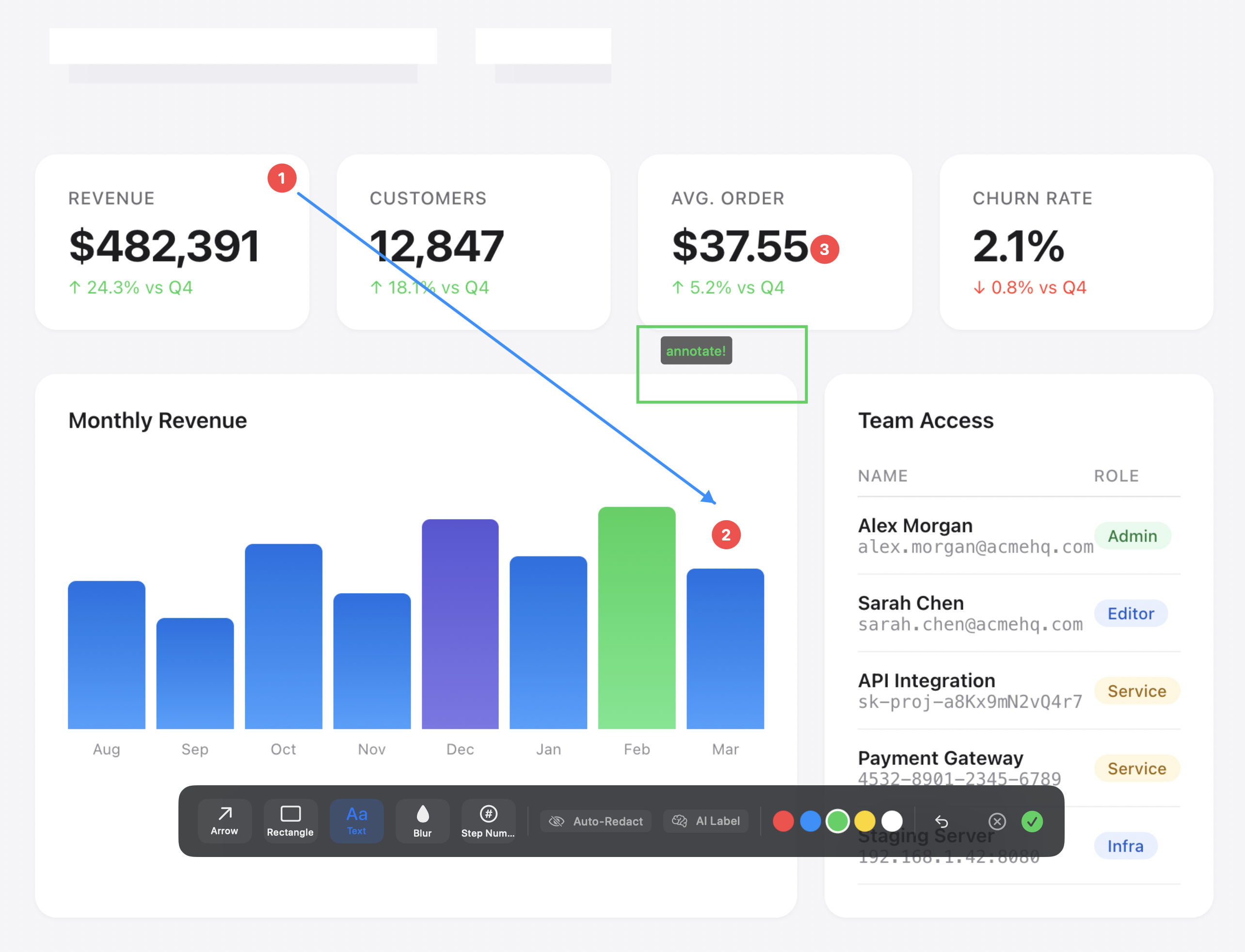
Arrows, rectangles, text labels, and blur — with a beautiful frosted-glass toolbar. Add step numbers (1, 2, 3) for tutorials in one click.

🔒

Auto-Redact

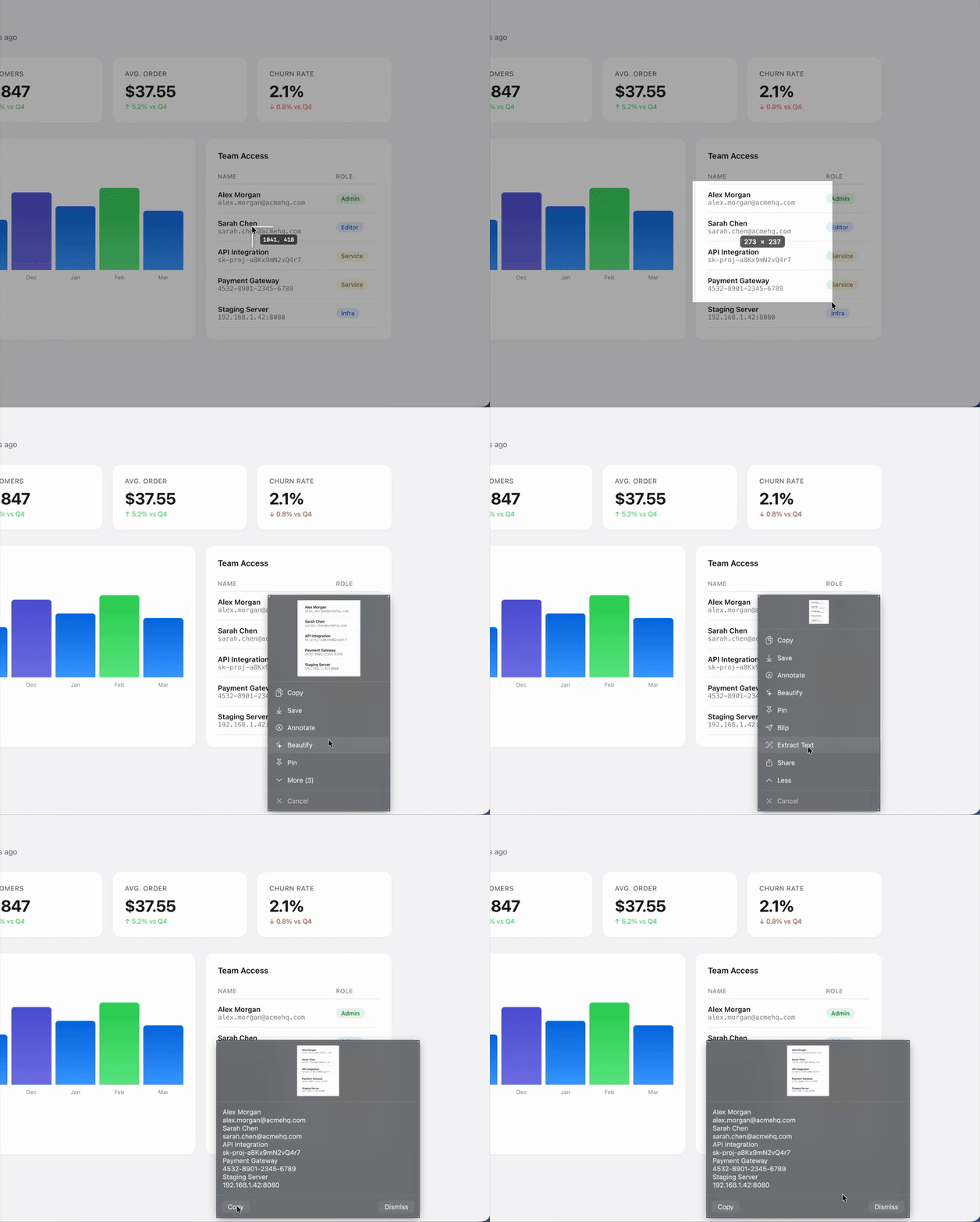
One click to find and redact emails, API keys, credit card numbers, IP addresses, and phone numbers. Powered by Apple Vision.

🎨

Beautiful Backgrounds

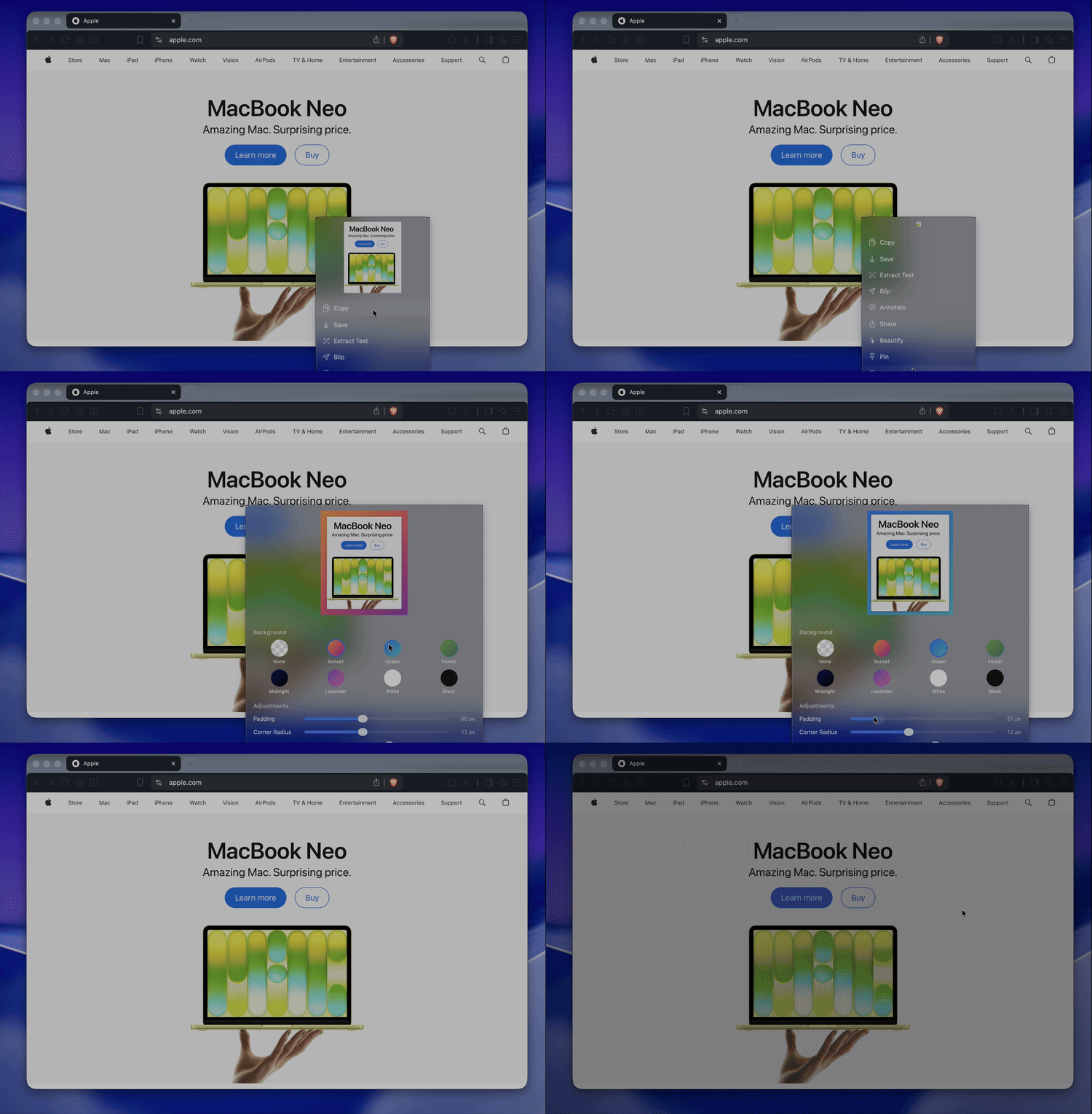
Add gradient backgrounds, shadows, and rounded corners. 8 presets to make any screenshot presentation-ready.

📌

Pin & History

Pin screenshots as floating always-on-top windows. Access your last 20 captures from the menu bar.

📜

Scrolling Capture

Automatically scrolls and stitches long pages into a single tall image. Perfect for full-page captures.

🧩

Plugin System

Extend DropSnip with JSON plugins. Upload to Imgur, post webhooks, run shell commands, or build your own integrations.

🤖

Local AI

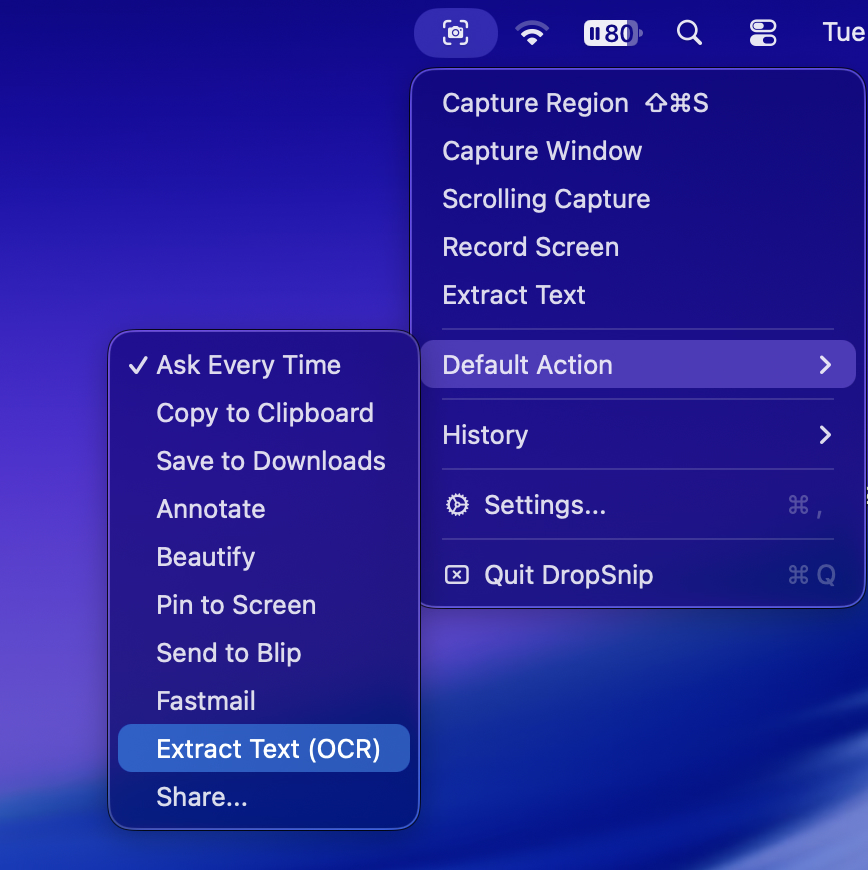
Describe, extract text, or analyze screenshots with your local LM Studio models. Your images never leave your machine.

🛡️

Privacy First

100% local. No accounts, no cloud uploads, no telemetry. Your screenshots stay on your Mac.

Step-by-step annotations in seconds

Creating tutorials, bug reports, or documentation? DropSnip's step number tool drops numbered circles (1, 2, 3, 4…) right where you click. Combined with arrows and text, you can explain anything visually.

  • Click to place numbered steps
  • Auto-incrementing — just keep clicking
  • SF Rounded Bold font for a clean, modern look
  • Customizable colors
[Screenshot: Step numbers 1-4 annotating a UI flow]

Redact sensitive info automatically

Sharing screenshots of terminals, dashboards, or config files? DropSnip detects and redacts sensitive data before you accidentally share it.

  • Emails, API keys, and tokens
  • Credit card numbers
  • IP addresses and phone numbers
  • Powered by Apple Vision OCR
[Screenshot: Auto-redacted terminal with API keys blocked]

How DropSnip stacks up

Feature DropSnip ($19) CleanShot X ($29) Shottr (Free) macOS Built-in
Region Capture
Window Capture
Scrolling Capture
Annotations
Step Numbers
Auto-Redact
Beautiful Backgrounds
Pin Screenshots
Plugin System
Local AI Integration
No Subscription
100% Local / No Cloud

One price. Everything included.

DropSnip for Mac

$19

One-time purchase. Free updates forever.
  • All capture modes (region, window, scrolling)
  • Full annotation toolkit
  • Auto-redact sensitive info
  • Beautiful backgrounds & presets
  • Pin & screenshot history
  • Plugin system & bundled plugins
  • Local AI integration (LM Studio)
  • Free updates for life
Download for Mac

Requires macOS 13 Ventura or later

What people are saying

"[Placeholder for early tester quote]"

— Name, Title

"[Placeholder for early tester quote]"

— Name, Title

"[Placeholder for early tester quote]"

— Name, Title